See your storage at a glance.
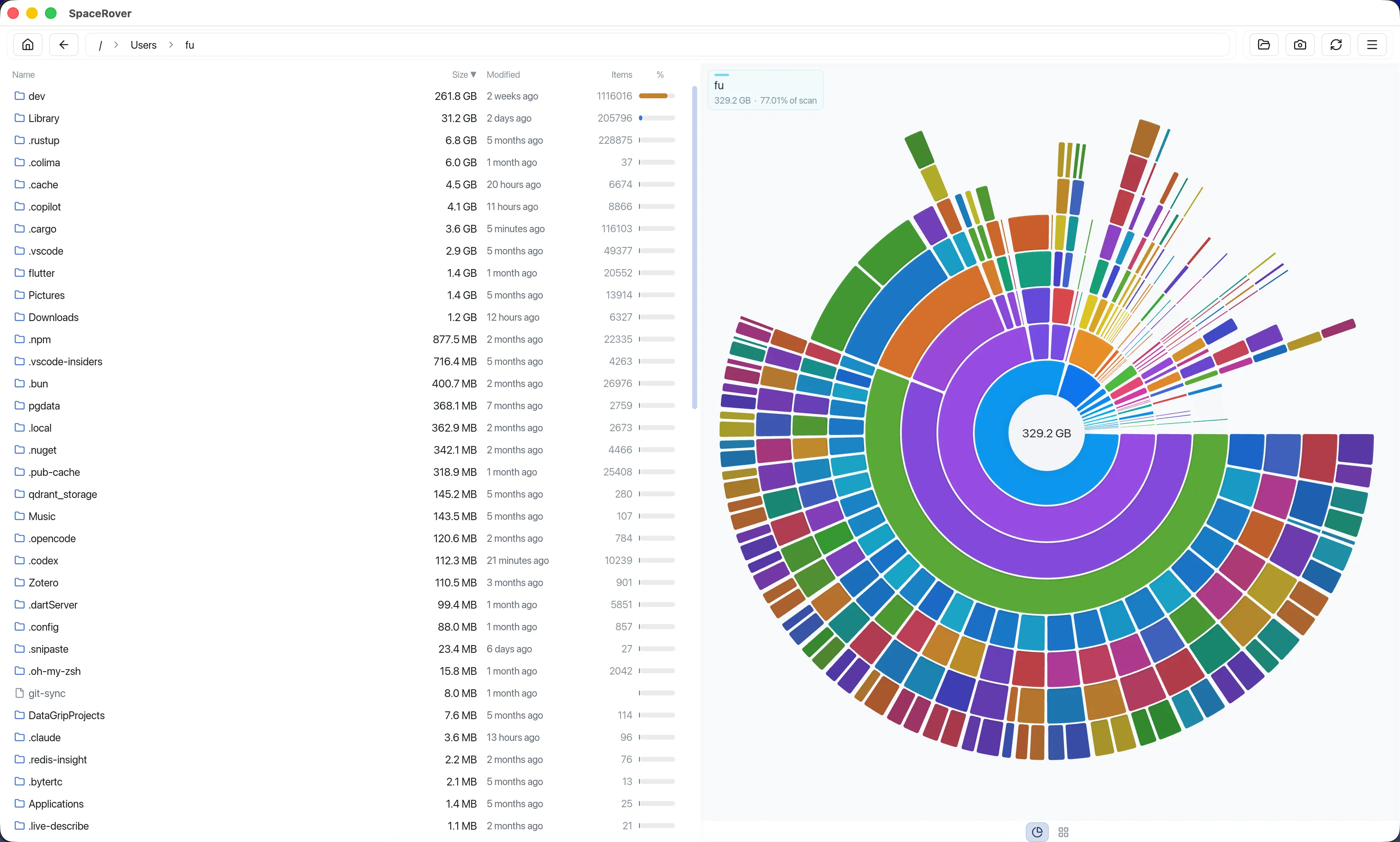
Explore folders and files through a beautiful sunburst map and ranked size list, so the biggest space consumers are obvious immediately.
 macOS · Windows · Linux
 SpaceRover combines visual disk maps, intelligent cleanup recommendations, and historical snapshots so you can reclaim storage with confidence.
Launch price: $9.99
Updates: All 1.x
Billing: No subscription
SpaceRover 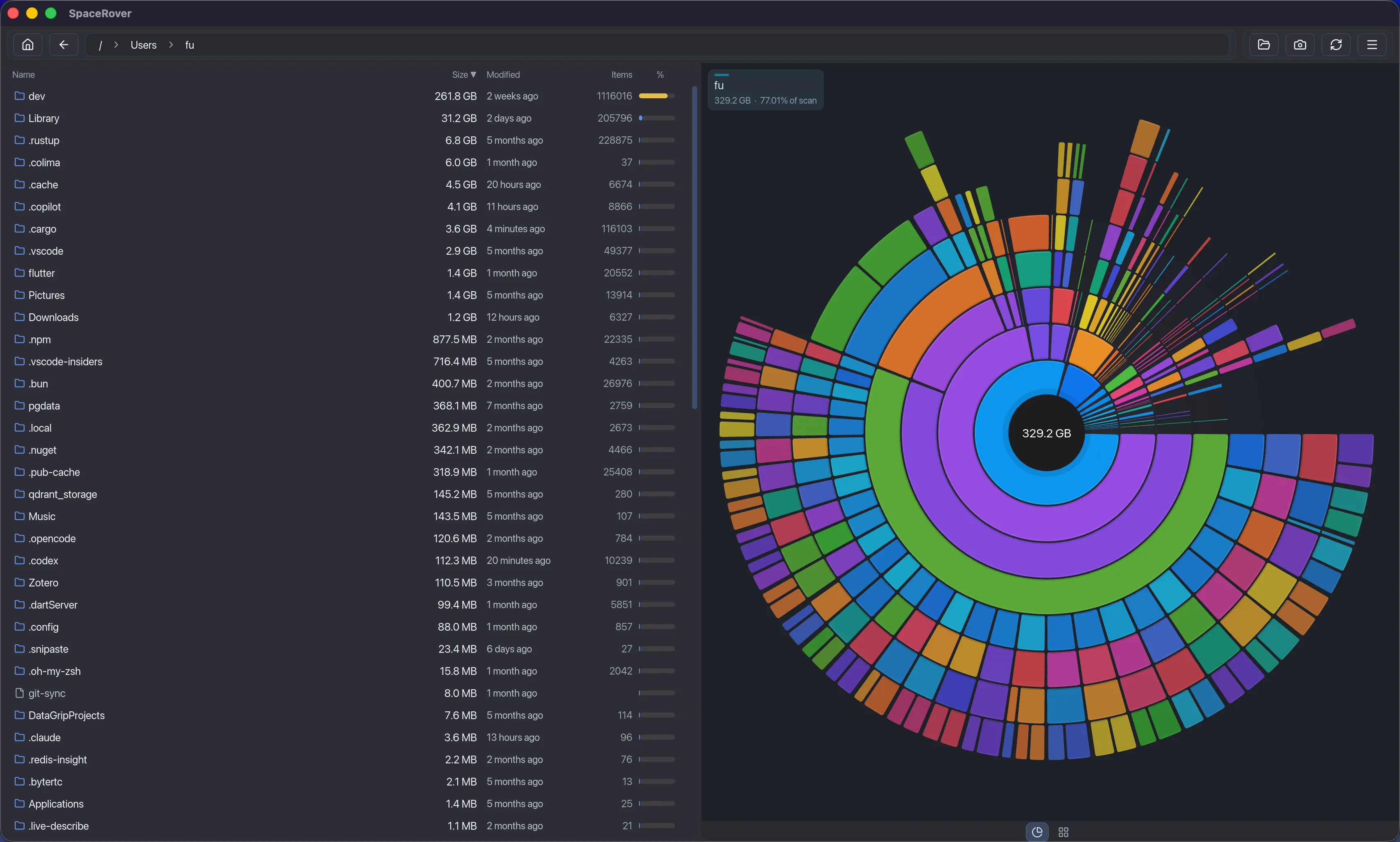
The storage problem
SpaceRover turns storage cleanup from guesswork into a clear, visual workflow.
Core workflow
SpaceRover puts the visual map, cleanup candidates, and snapshot history in one local desktop workflow.
Explore folders and files through a beautiful sunburst map and ranked size list, so the biggest space consumers are obvious immediately.
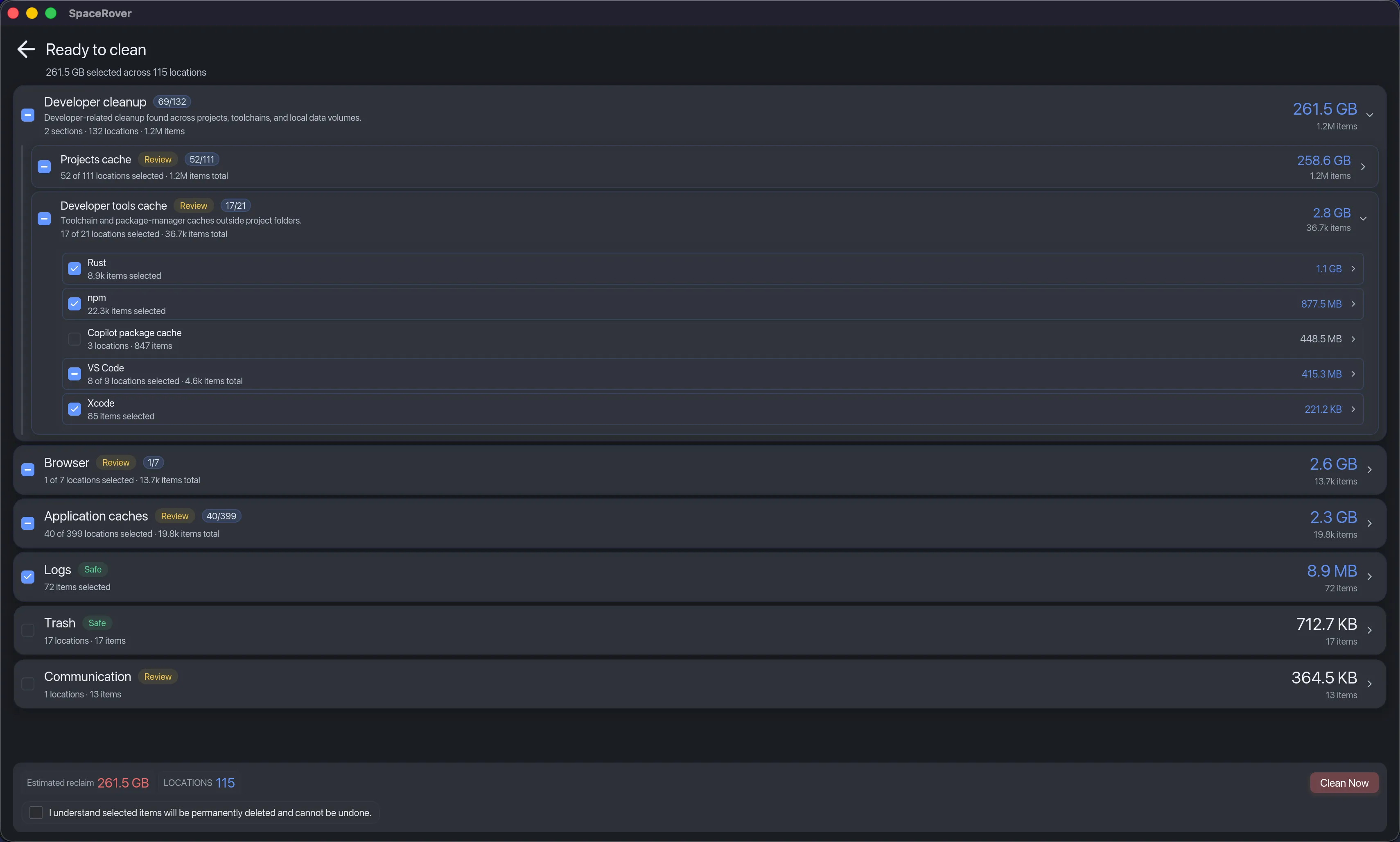
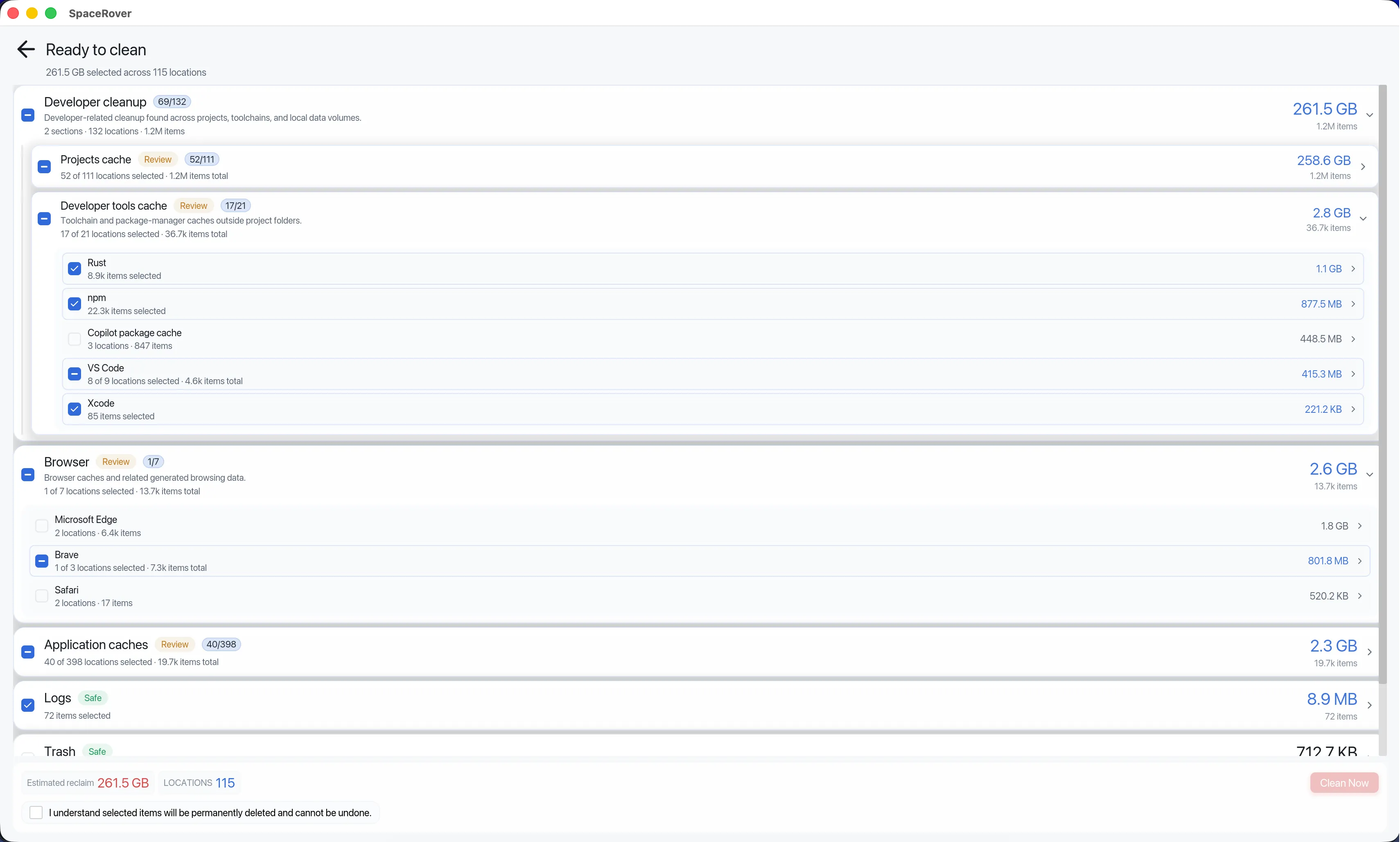
SpaceRover surfaces large caches, build artifacts, downloads, temporary files, and other cleanup opportunities that are commonly safe to review.
Compare snapshots to see what grew, what disappeared, and which folders are responsible for storage changes over time.
SpaceRover recognizes common developer cleanup candidates such as Cargo target directories, npm caches, .NET build folders, Xcode DerivedData, Gradle caches, and temporary environments, so you can review the space they use before removing anything.
Download SpaceRoverRust / Cargo
target/, ~/.cargo/registry
npm / Node.js
.npm/cache, .yarn/cache
.NET
bin/, obj/
Xcode
DerivedData/, Archives/
Gradle / Android
~/.gradle/caches/
Python
__pycache__/, .venv/
Smart Insights scans for developer caches, browser data, application caches, logs, downloads, temporary files, and trash using conservative local rules. SpaceRover surfaces candidates and opportunities for you to review before deleting anything.
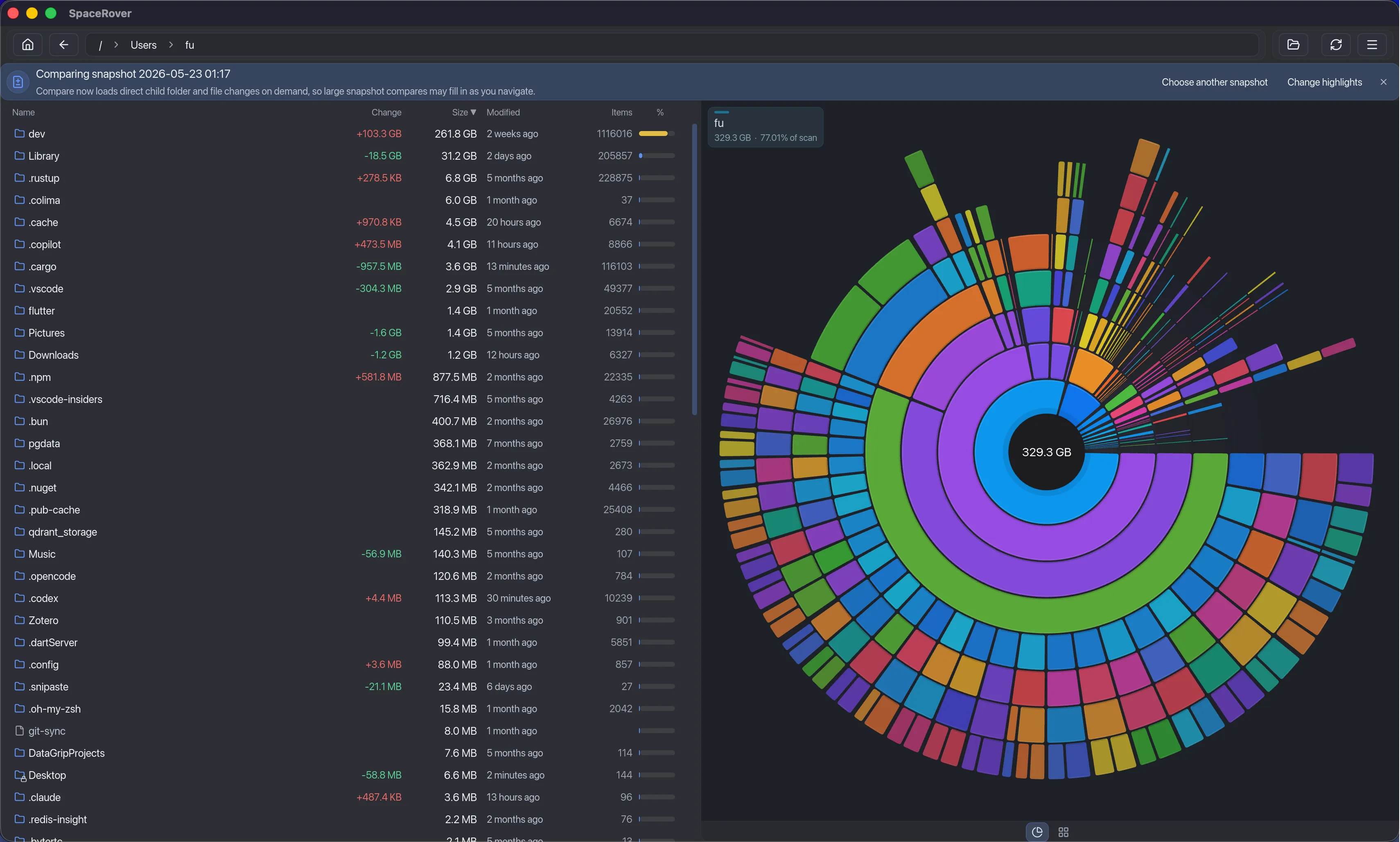
Save snapshots before and after big downloads, OS updates, Docker pulls, or project builds. Compare them side by side to see what grew, what disappeared, and which folders are responsible.
Why SpaceRover
Finder is useful for browsing files. DaisyDisk-style tools are strong visual analyzers. SpaceRover adds cleanup recommendations, history, and cross-platform desktop support.
| Capability | Finder | DaisyDisk-style tools | SpaceRover |
|---|---|---|---|
| Visual disk map | Basic | Strong | Sunburst + ranked list |
| Ranked folder/file list | Limited | Often available | Yes |
| Smart cleanup recommendations | No | Limited | Yes, review-first |
| Historical snapshots | No | Limited | Yes |
| Growth tracking | No | Limited | Yes |
| Cross-platform desktop app | Platform file manager | Usually platform-specific | macOS, Windows, Linux |
| One-time purchase | Included with OS | Varies | $9.99 launch price |
Workflow
SpaceRover keeps the workflow clear: scan, inspect, compare, then review cleanup candidates.
Start with a drive, project folder, home directory, or drag-and-drop target.
Use Rings, Treemap, breadcrumbs, and the table to identify the real storage hotspots.
Check what changed since a previous scan before deciding what to review or remove.
Use Smart Insights or the Cleanup Queue so deletion is a deliberate final step.
Launch price
$9.99
First 30 days after launch. Then $19.99.
One purchase for one user, with up to three active devices in any combination of macOS, Windows, and Linux. No subscription or recurring billing.
Download SpaceRover
Download SpaceRover and clean up with confidence.